
In this paper, researchers present a set of recommendations for conformance testing of High Dynamic Range displays and content.
Author: Vibhoothi,Sigmedia Group, Department of Electronic and Electrical Engineering, Trinity College Dublin, Ireland ; Angeliki Katsenou, Sigmedia Group, Department of Electronic and Electrical Engineering, Trinity College Dublin, Ireland & Department of Electrical and Electronic Engineering, University of Bristol, United Kingdom ; John Squires, Sigmedia Group, Department of Electronic and Electrical Engineering, Trinity College Dublin, Ireland ; Franc¸ois Pitie, Sigmedia Group, Department of Electronic and Electrical Engineering, Trinity College Dublin, Ireland ; Anil Kokaram, Sigmedia Group, Department of Electronic and Electrical Engineering, Trinity College Dublin, Ireland .
Table of Links Abstract and Introduction HDR Standards HDR Subjective Testing Workflow Conclusion and References III. HDR SUBJECTIVE TESTING WORKFLOW To ensure conformity with the modern HDR standard , we require to validate multiple factors for the HDR quality assessment framework. The framework consists of three distinct parts. The first part is for the playback pipeline which includes cross-checking the playback, brightness, colour, and bit-depth of the display device. The second part is for handling intermediate file conversions. Finally, the third part concerns the testing environment. A. Playback Pipeline Playback: Figure 1 outlines the typical playback pipeline to be used in a testing workflow. The initial part of the workflow is conversion and making the source into an encoderfriendly format . When it comes to HDR video playback, many software video players across different operating systems do not support true-HDR playback. This is either due to the limitation of hardware or software support . To circumvent this problem, we recommend using dedicated hardware for video playback. In this work, we utilised a Blackmagic Decklink 8K Pro Playback device in a Linux environment, where a build of FFmpeg software with Blackmagic support is used for video playback. Alternatively, the open-source GStreamer, or vendor-specific playback software , signalling metadata is essential for HDR playback. Often, the hardware playback device or any converters which are used in the pipeline would strip the HDR metadata which can result in SDR playback. We recommend forcing HDR metadata on the device end, in cases where it is not available, an intermediate device that inserts HDR metadata is advised . Signal Validation. When multiple sets of hardware devices are used in the playback pipeline, signal integrity should be checked. To this end, and for signal passthrough, we recommend using a cross-converter/waveform monitor . 2) Displays: The next milestone to accomplish true HDR video playback is the reliability of the television/monitor’s display panel in use. For this, at least five aspects should be observed: i) the ability to programmatically set the HDR settings in the display device, ii) option to turn off vendor-specific features for picture quality enhancement , gradation etc) iii) faithful tracking of the electro-optical transfer function in use for both low and high-luminance areas, iv) the ability to display at least 1000 nits of brightness for at least 5-10% window, v) Behaviour of sustained brightness over the period. Keeping all of these in consideration, we are utilising a Sony BVM-X300v2 OLED critical reference monitor as a source of reference, along with two consumer-level LCD and OLED HDR display televisions. Local dimming analysis. To analyse the display panel’s local dimming, blooming effect, and colour-bleeding artefacts, we developed a night-sky-star test pattern . This pattern randomly distributes different percentages of peak-white pixels across the display resolution. Figure 2 showcases the behaviour of a 1% white window with a reference monitor and the Sony LCD TV . We advise using this artificial test pattern for measuring the true behaviour of the panel over real night-sky patterns as they are prone to ISO camera noise. We later measured the brightness of a small area where most pixels are i) black, and ii) white. If a significant increase of brightness over window size for both is observed, the panel is susceptible to poor local dimming. In our study, we observed the brightness of the LCD panel increased linearly based on the number of white pixels, and the OLED panel showcased superior local dimming. 3) Brightness: Many of the current consumer displays have ABLs that do not allow peak brightness beyond a certain window size and/or sustained peak brightness over time. Many displays include this to protect the display units. Thus, we recommend analysing i) the sustained brightness using a 1% full white window; ii) the brightness variation over different window-size. In EBU’s Tech Report 3225v2 , it is recommended to test the peak brightness of the TVs using a full-white window at four levels of screen area . In our analysis, we discovered that four points may not be sufficient to model the true behaviour of consumer displays. We recommend expanding this by including more steps S ∈ {1 . . . 5, 7, 10, 12, 15, 20, 25, 30, 40, 50, 60, 75, 80, 90, 100}%. Figure 3a shows the sustained brightness of 1% window observed for a period of 600 seconds for the three considered display units. As easily observed, the reference monitor consistently sustains the brightness. The LCD TV sustained high brightness for a long period . The OLED TV demonstrated a significant drop in brightness after 100 secs. We believe the primary reason for this behaviour is due to heating and the limited cooling of the OLED panel. When the temperature of the TV panel reaches ≈55◦C, the peak brightness is obtained , and then the brightness starts quickly decreasing. Figure 3b shows the variation of brightness of the TVs for increasing window sizes. The Observed peak brightness of the reference monitor was 1041 nits . The LCD TV was 1817 nits . The OLED TV was 1050 nits . Both LCD and reference monitors had a smooth degradation of brightness over the growing window size. The OLED TV brightness is very inconsistent due to the heating of the panel, thus for reliability of measurement, we recommend having a cool-off period and monitoring of temperature. 4) Colour: One of the properties of UHD HDR is the availability of wide-colour-gamut . To ensure compliance with standards, it is necessary to verify the display and signal meet the standard. This can be done through various methods, such as the use of the “Gamut Marker” feature in the reference monitor to identify pixels beyond the target colourspace . In other cases, a Spectroradiometer/Colourimeter can precisely measure the wavelength of RGB lights and CIE1931 Chromacity distribution. . 5) Bit-depth: It is observed that certain parts of the playback pipeline could decimate some bits and yet have the final playback at 10bit. This can happen either on the playback device side or on the display side . Despite a potential reduction in bit-depth, this is often undetected in playback due to the presence of noise or film grain in the content resulting in smooth gradation. Thus, a fidelity check for bit-depth is recommended. This can be implemented with a grey ramp within the maximum HDR window size of the TV with 1024 levels/bands/ramps. If a smooth ramp is observed, there is probably no decimation in the playback pipeline . In all other cases, it denotes a loss of information in the pipeline . If the input signal contains noise , the “nonpristine chain”, can behave as the “clean chain”. We crosschecked this, and we observed smooth ramps without banding for a noisy signal. This indicates that HDR fidelity relies on testing materials. B. Handling HDR Intermediate conversions Most modern cameras shoot images and videos in a colourcoded luminance channel, which is later converted to RGB space , and later to an uncompressed intermediate format in video production. The IMF format may not be directly compatible with any given encoder for compression applications. Thus, we require conversion of the videos to Y’CbCr colour space without losing picture fidelity. This requires multiple visual inspections. In 2022, the 3GPP standards body , outlined steps taken for the conversion of HDR source videos from an IMF format to an encoder-friendly format using HDRTools . We tested the conversions using HDRTools with different HDR materials, i) the American Society of Cinematographers’ StEM2 , and ii) SVT Open-content . Later, a cross-check with the original source for colour fidelity using a spectroradiometer was carried out. We observed close reproduction of source information. For a sanity check, a few samples were tested with x265, libaom-av1, and SVT-AV1, and compression and playback were as expected. Thus, we recommend using HDRTools for conversions of HDR materials. C. Testing environment In an HDR subjective testing workflow, the viewing environment plays a significant role in the perception of quality along with the playback. We recommend validating the following elemental factors: i) the display panel technology , ii) the surrounding environment, light, and reflections from/on the display, iii) the test video content. Regarding the interface of the subjective study, grey intermediate screens between the display of videos preferred to reduce viewing discomfort. The brightness of the grey screen should be configured based on the environment’s lighting conditions, video materials in use, and display capabilities. For our experiments, we empirically chose a grey screen of brightness 14.9 nits . Depending on the viewing environment, and excessive exposure to HDR materials, viewers can experience fatigue and dizziness, so it is advisable to have big breaks between viewing sessions. This paper is available on arxiv under CC BY-NC-ND 4.0 DEED license. Author: Vibhoothi,Sigmedia Group, Department of Electronic and Electrical Engineering, Trinity College Dublin, Ireland ; Angeliki Katsenou, Sigmedia Group, Department of Electronic and Electrical Engineering, Trinity College Dublin, Ireland & Department of Electrical and Electronic Engineering, University of Bristol, United Kingdom ; John Squires, Sigmedia Group, Department of Electronic and Electrical Engineering, Trinity College Dublin, Ireland ; Franc¸ois Pitie, Sigmedia Group, Department of Electronic and Electrical Engineering, Trinity College Dublin, Ireland ; Anil Kokaram, Sigmedia Group, Department of Electronic and Electrical Engineering, Trinity College Dublin, Ireland . Author: Author: Vibhoothi,Sigmedia Group, Department of Electronic and Electrical Engineering, Trinity College Dublin, Ireland ; Angeliki Katsenou, Sigmedia Group, Department of Electronic and Electrical Engineering, Trinity College Dublin, Ireland & Department of Electrical and Electronic Engineering, University of Bristol, United Kingdom ; John Squires, Sigmedia Group, Department of Electronic and Electrical Engineering, Trinity College Dublin, Ireland ; Franc¸ois Pitie, Sigmedia Group, Department of Electronic and Electrical Engineering, Trinity College Dublin, Ireland ; Anil Kokaram, Sigmedia Group, Department of Electronic and Electrical Engineering, Trinity College Dublin, Ireland . Table of Links Abstract and Introduction HDR Standards HDR Subjective Testing Workflow Conclusion and References Abstract and Introduction Abstract and Introduction HDR Standards HDR Standards HDR Subjective Testing Workflow HDR Subjective Testing Workflow Conclusion and References Conclusion and References III. HDR SUBJECTIVE TESTING WORKFLOW To ensure conformity with the modern HDR standard , we require to validate multiple factors for the HDR quality assessment framework. The framework consists of three distinct parts. The first part is for the playback pipeline which includes cross-checking the playback, brightness, colour, and bit-depth of the display device. The second part is for handling intermediate file conversions. Finally, the third part concerns the testing environment. A. Playback Pipeline Playback: Figure 1 outlines the typical playback pipeline to be used in a testing workflow. The initial part of the workflow is conversion and making the source into an encoderfriendly format . When it comes to HDR video playback, many software video players across different operating systems do not support true-HDR playback. This is either due to the limitation of hardware or software support . Playback: Figure 1 outlines the typical playback pipeline to be used in a testing workflow. The initial part of the workflow is conversion and making the source into an encoderfriendly format . When it comes to HDR video playback, many software video players across different operating systems do not support true-HDR playback. This is either due to the limitation of hardware or software support . To circumvent this problem, we recommend using dedicated hardware for video playback. In this work, we utilised a Blackmagic Decklink 8K Pro Playback device in a Linux environment, where a build of FFmpeg software with Blackmagic support is used for video playback. Alternatively, the open-source GStreamer, or vendor-specific playback software , signalling metadata is essential for HDR playback. Often, the hardware playback device or any converters which are used in the pipeline would strip the HDR metadata which can result in SDR playback. We recommend forcing HDR metadata on the device end, in cases where it is not available, an intermediate device that inserts HDR metadata is advised . Signal Validation. When multiple sets of hardware devices are used in the playback pipeline, signal integrity should be checked. To this end, and for signal passthrough, we recommend using a cross-converter/waveform monitor . 2) Displays: The next milestone to accomplish true HDR video playback is the reliability of the television/monitor’s display panel in use. For this, at least five aspects should be observed: i) the ability to programmatically set the HDR settings in the display device, ii) option to turn off vendor-specific features for picture quality enhancement , gradation etc) iii) faithful tracking of the electro-optical transfer function in use for both low and high-luminance areas, iv) the ability to display at least 1000 nits of brightness for at least 5-10% window, v) Behaviour of sustained brightness over the period. Keeping all of these in consideration, we are utilising a Sony BVM-X300v2 OLED critical reference monitor as a source of reference, along with two consumer-level LCD and OLED HDR display televisions. Local dimming analysis. To analyse the display panel’s local dimming, blooming effect, and colour-bleeding artefacts, we developed a night-sky-star test pattern . This pattern randomly distributes different percentages of peak-white pixels across the display resolution. Figure 2 showcases the behaviour of a 1% white window with a reference monitor and the Sony LCD TV . We advise using this artificial test pattern for measuring the true behaviour of the panel over real night-sky patterns as they are prone to ISO camera noise. We later measured the brightness of a small area where most pixels are i) black, and ii) white. If a significant increase of brightness over window size for both is observed, the panel is susceptible to poor local dimming. In our study, we observed the brightness of the LCD panel increased linearly based on the number of white pixels, and the OLED panel showcased superior local dimming. 3) Brightness: Many of the current consumer displays have ABLs that do not allow peak brightness beyond a certain window size and/or sustained peak brightness over time. Many displays include this to protect the display units. Thus, we recommend analysing i) the sustained brightness using a 1% full white window; ii) the brightness variation over different window-size. In EBU’s Tech Report 3225v2 , it is recommended to test the peak brightness of the TVs using a full-white window at four levels of screen area . In our analysis, we discovered that four points may not be sufficient to model the true behaviour of consumer displays. We recommend expanding this by including more steps S ∈ {1 . . . 5, 7, 10, 12, 15, 20, 25, 30, 40, 50, 60, 75, 80, 90, 100}%. Figure 3a shows the sustained brightness of 1% window observed for a period of 600 seconds for the three considered display units. As easily observed, the reference monitor consistently sustains the brightness. The LCD TV sustained high brightness for a long period . The OLED TV demonstrated a significant drop in brightness after 100 secs. We believe the primary reason for this behaviour is due to heating and the limited cooling of the OLED panel. When the temperature of the TV panel reaches ≈55◦C, the peak brightness is obtained , and then the brightness starts quickly decreasing. Figure 3b shows the variation of brightness of the TVs for increasing window sizes. The Observed peak brightness of the reference monitor was 1041 nits . The LCD TV was 1817 nits . The OLED TV was 1050 nits . Both LCD and reference monitors had a smooth degradation of brightness over the growing window size. The OLED TV brightness is very inconsistent due to the heating of the panel, thus for reliability of measurement, we recommend having a cool-off period and monitoring of temperature. 4) Colour: One of the properties of UHD HDR is the availability of wide-colour-gamut . To ensure compliance with standards, it is necessary to verify the display and signal meet the standard. This can be done through various methods, such as the use of the “Gamut Marker” feature in the reference monitor to identify pixels beyond the target colourspace . In other cases, a Spectroradiometer/Colourimeter can precisely measure the wavelength of RGB lights and CIE1931 Chromacity distribution. . 5) Bit-depth: It is observed that certain parts of the playback pipeline could decimate some bits and yet have the final playback at 10bit. This can happen either on the playback device side or on the display side . Despite a potential reduction in bit-depth, this is often undetected in playback due to the presence of noise or film grain in the content resulting in smooth gradation. Thus, a fidelity check for bit-depth is recommended. This can be implemented with a grey ramp within the maximum HDR window size of the TV with 1024 levels/bands/ramps. If a smooth ramp is observed, there is probably no decimation in the playback pipeline . In all other cases, it denotes a loss of information in the pipeline . If the input signal contains noise , the “nonpristine chain”, can behave as the “clean chain”. We crosschecked this, and we observed smooth ramps without banding for a noisy signal. This indicates that HDR fidelity relies on testing materials. B. Handling HDR Intermediate conversions Most modern cameras shoot images and videos in a colourcoded luminance channel, which is later converted to RGB space , and later to an uncompressed intermediate format in video production. The IMF format may not be directly compatible with any given encoder for compression applications. Thus, we require conversion of the videos to Y’CbCr colour space without losing picture fidelity. This requires multiple visual inspections. In 2022, the 3GPP standards body , outlined steps taken for the conversion of HDR source videos from an IMF format to an encoder-friendly format using HDRTools . We tested the conversions using HDRTools with different HDR materials, i) the American Society of Cinematographers’ StEM2 , and ii) SVT Open-content . Later, a cross-check with the original source for colour fidelity using a spectroradiometer was carried out. We observed close reproduction of source information. For a sanity check, a few samples were tested with x265, libaom-av1, and SVT-AV1, and compression and playback were as expected. Thus, we recommend using HDRTools for conversions of HDR materials. C. Testing environment In an HDR subjective testing workflow, the viewing environment plays a significant role in the perception of quality along with the playback. We recommend validating the following elemental factors: i) the display panel technology , ii) the surrounding environment, light, and reflections from/on the display, iii) the test video content. Regarding the interface of the subjective study, grey intermediate screens between the display of videos preferred to reduce viewing discomfort. The brightness of the grey screen should be configured based on the environment’s lighting conditions, video materials in use, and display capabilities. For our experiments, we empirically chose a grey screen of brightness 14.9 nits . Depending on the viewing environment, and excessive exposure to HDR materials, viewers can experience fatigue and dizziness, so it is advisable to have big breaks between viewing sessions. This paper is available on arxiv under CC BY-NC-ND 4.0 DEED license. This paper is available on arxiv under CC BY-NC-ND 4.0 DEED license. available on arxiv
United States Latest News, United States Headlines
Similar News:You can also read news stories similar to this one that we have collected from other news sources.
 USPSTF Draft Recommendations Support Some Osteoporosis Testing, Seek More ResearchThe influential US task force appeared likely to largely reiterate recommendations on osteoporosis testing for women, while highlighting the need for more research on this screening for men.
Read more »
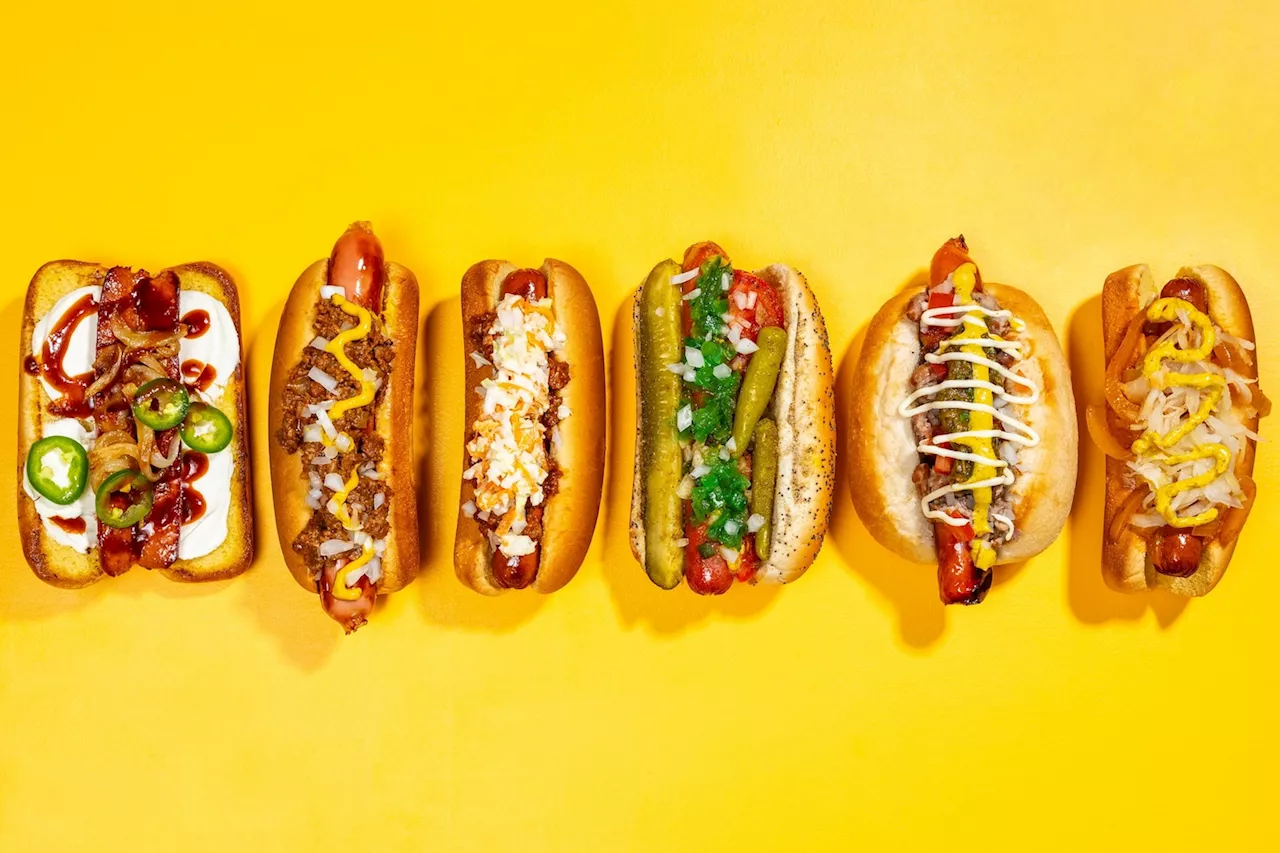 America’s greatest regional hot dogs: A highly subjective guideHot dogs are synonymous with summertime across the United States, but the best way to top them remains a major source of debate.
Read more »
 Explained Anomaly Detection in Text Reviews: Can Subjective Scenarios Be Correctly Evaluated?Discover a robust pipeline for detecting and explaining anomalous reviews in online platforms like Amazon.
Read more »
 You Asked: Where’s the Bravia, Apple projection, HDR highlightsDT Video
Read more »
 America’s greatest regional hot dogs: A highly subjective guideHot dogs are synonymous with summertime across the United States, but the best way to top them remains a major source of debate.
Read more »
 Recommendations for Verifying HDR Subjective Testing Workflows: Abstract and IntroductionIn this paper, researchers present a set of recommendations for conformance testing of High Dynamic Range displays and content.
Read more »