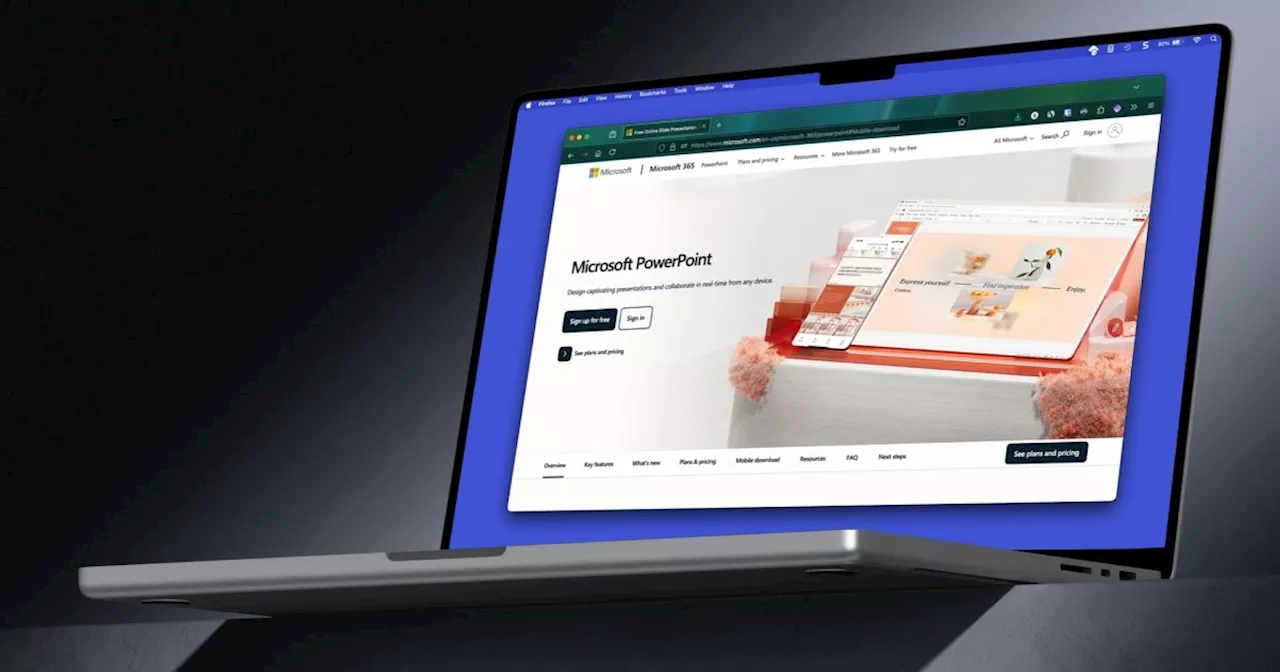
For building slideshows and creating presentations, PowerPoint is a stellar tool. Here’s how to download PowerPoint along with alternative ways to use it.
If you’re tasked with creating a presentation for work or school, you probably want to look at one of the best slideshow creators, Microsoft PowerPoint. Contents Here’s what you need to know about purchasing and downloading Microsoft PowerPoint along with other options for using this full-featured Microsoft Office application.
Recommended Videos How to purchase and download Microsoft PowerPoint Just like getting the Microsoft Word standalone app, you can visit the Microsoft Store and search for PowerPoint. However, it’s hard to find the PowerPoint app without it being part of the Microsoft Office bundle. Luckily, we’ll show you exactly how to get it.Visit the PowerPoint purchase page on Microsoft.com where you can buy PowerPoint alone for $159.99. If you’re in school, head to the PowerPoint Home and Student page instead where you can buy PowerPoint at a discounted price of $79.99. Be sure to move down the page slightly and review the Requirements tab before making your purchase because it’s nonrefundable. You’ll need at least Windows 11, Windows 10, or macOS to install PowerPoint along with a certain amount of memory and hard disk space per your operating system. When you’re ready, select Buy now at the top, and you’ll be directed to your cart to complete the purchase. Note that you’ll receive a digital copy of PowerPoint, not a physical one. Choose Checkout to continue.Select your payment method, optionally enter a promo code, and pick Place order. Notice the statement at the bottom of the page informing you that you’ll be charged immediately, and again, there are no refunds. Follow the subsequent prompts to complete your purchase, download, and install PowerPoint per your web browser and operating system. How to download Microsoft PowerPoint on mobile If you’d like to create, edit, or review PowerPoint presentations on the go, you can install the free mobile app. All you need is a Microsoft account to use the PowerPoint app on Android or iOS. For Android, head to Microsoft PowerPoint on Google Play and select Install. For iPhone, iPad, and Apple Vision, go to Microsoft PowerPoint on the App Store and select Get. Once the app installs, select Open in Google Play or the App Store. Alternatively, you can simply tap the app icon that displays on your Home screen. Sign in with your Microsoft account and you’re ready to go. Note that you do have an in-app purchase available for a Microsoft 365 plan if you decide to upgrade. Other ways to get Microsoft PowerPoint If you’re looking for additional ways to get Microsoft PowerPoint, we’ve got two options for you. First, you can use PowerPoint on the web for free with your Microsoft account. All of your files are saved to OneDrive, which also includes 5GB of storage with your free Microsoft account. You can also enjoy many of the same features without much limitation including the use of PowerPoint templates.Second, you can purchase PowerPoint as part of Microsoft 365. Because this is the method you see more than any other, it’s one to consider if you can take advantage of the additional Office apps like Word, Excel, Outlook, OneNote, and others.FAQs Do you have to download PowerPoint to use it? Nope! You can use PowerPoint in your web browser with a free Microsoft account as well as with a Microsoft 365 work or school account. You can also install the PowerPoint mobile app for free on Android or iPhone.You can look at applications similar to PowerPoint that are completely free. These include Google Slides, a web-based slideshow creator, and LibreOffice, a downloadable office suite containing Impress for building slideshows. For additional options, check out how to use Microsoft Office for free along with our list of the best Microsoft Office alternatives.To save a PowerPoint presentation, go to the File tab and select Save or Save As. Choose a location, name the file, and then Save.
Microsoft Powerpoint Powerpoint
United States Latest News, United States Headlines
Similar News:You can also read news stories similar to this one that we have collected from other news sources.
 Wait, is PowerPoint cool now?Millennials and Gen X’ers are repurposing PowerPoint and other presentation software tools for parties, pick-up lines and even persuading parents.
Read more »
 Wait, is PowerPoint cool now?No longer the sole domain of Bob from accounting, the presentation software is being repurposed for parties, pickup lines and the persuading of parents.
Read more »
 Stop renting your productivity apps when you get Microsoft Office 2021 for lifeWith lifetime access to Microsoft Office Pro 2021 for your PC, you'll have access to apps like Word, Excel, and PowerPoint for only $39.97 (reg. $219)!
Read more »
 Stop renting your productivity apps when you get Microsoft Office 2021 for lifeWith lifetime access to Microsoft Office Pro 2021 for your PC, you'll have access to apps like Word, Excel, and PowerPoint for only $39.97 (reg. $219)!
Read more »
 Microsoft Surface Pro vs. Microsoft Surface Laptop: mainstream battleThe Surface Pro 11 and Surface Laptop 7 are Microsoft's best in their respective classes. Which is better for you comes down to your specific needs.
Read more »
 Microsoft is rebranding Copilot in the most Microsoft way possibleMicrosoft is getting ready to rebrand its Copilot for its business AI efforts. It’s part of an effort to push Microsoft 365 AI tools.
Read more »