
With the arrival of M3 chips, it’s harder than ever to pick a MacBook Pro. Should you get the 14-inch or 13-inch version? Our guide has the answers.
Apple has finally updated its MacBook Pro models to the latest M3 series of chips, but in doing so, it has totally ditched the 13-inch model. While that means just the 14-inch MacBook Pro will be available going forward, you can still pick up the 13-inch MacBook Pro with older chips from third-party retailers.
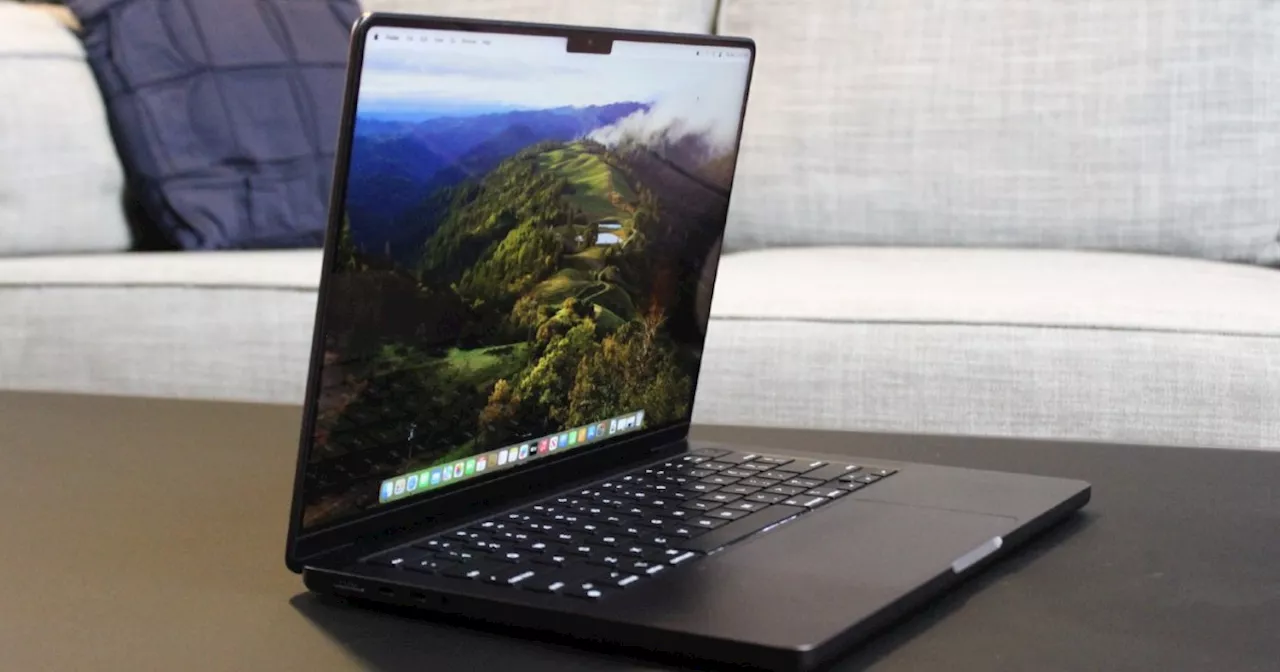
So, which should you buy? Contents We’ve put both versions side by side to determine which one is worth your cash. Should you save some money with the 13-inch MacBook Pro or go all-out and buy the 14-inch model? Read on to find out. Recommended Videos Price and availability Compared to its 13-inch sibling, the 14-inch MacBook Pro is outfitted with stronger chips, as it comes with either the M3, the M3 Pro, or the M3 Max versus the last-generation M2. It also has more port variety, a better display, and a few other high-end features. Related That means its price is higher — its starts at $1,599. The 13-inch MacBook Pro, meanwhile, starts at $1,299 where available. Despite that, the 14-inch MacBook Pro actually represents a better value. Let us explain. The 13-inch MacBook Pro is a bit of an anomaly, and we’ve long seen it as Apple’s worst laptop. That’s because the 13-inch MacBook Air is cheaper and offers just as much as the 13-inch MacBook Pro. In fact, although the MacBook Air remains on the M2 chip for now, an update is expected in a few months. When that happens, the 13-inch MacBook Air will graduate to the M3 chip and surge far ahead of the 13-inch MacBook Pro. Performance The main talking point when assessing these laptops is undoubtedly the performance of the new M3 chips. Since the 13-inch MacBook Pro only has the base M2, while the 14-inch MacBook Pro can be equipped with either the M3 Pro or the M3 Max, the latter device is more powerful, as you’d expect. But what kind of difference are we talking about here? Apple didn’t compare the M3 to the M2, frustratingly, but it did draw some comparisons to the M1 chip that’s in older versions of the 13-inch MacBook Pro. According to Apple, the M3 is up to 60% faster than the M1. Since the M2 wasn’t a huge leap over the M1, we’d expect the M3 to be noticeably faster than the best chip you can get in the 13-inch MacBook Pro. In our review of the 14-inch MacBook Pro, the M3 Max chip outperformed the M2 Max by some distance. For instance, it slashed the time of a Handbrake export from 85 seconds to 53 seconds. Now, you can’t get either of those chips in the 13-inch MacBook Pro, but it shows the kind of difference you can expect when jumping from the M2 generation to the M3.Design and ports Neither laptop here has changed much in terms of physical appearance, with Apple retaining the same chassis designs and just tuning up the internals . Regardless, you get Apple’s signature high-quality aluminum body that looks and feels great and can still take a battering. The keyboards and trackpads are both remarkably similar, but these laptops differ when it comes to the displays. The 13-inch MacBook Pro uses an LED display that hits 500 nits of brightness, while the 14-inch model ramps things up with a mini-LED panel that can go all the way up to 1,600 nits for HDR content. That’s a significant disparity. And yes, both have the notch. In terms of ports, you’ll get far more choice with the 14-inch MacBook Pro, which is outfitted with a MagSafe 3 charging port, three Thunderbolt 4 slots, an SDXC card reader, an HDMI port, and a 3.5mm headphone jack. The smaller MacBook Pro, on the other hand, is limited to two Thunderbolt 4 slots and a 3.5mm headphone jack. Portability and battery life If you’re after a super-portable Apple laptop, the MacBook Air is probably your best bet. However, both the 13-inch and 14-inch MacBook Pro still offer plenty in that department. The 13-inch model weighs in at 3 pounds, while the 14-inch version is 3.6 pounds, so there’s not a huge amount of difference. Neither could be fairly described as heavy or cumbersome. Portability also has an effect on battery life, as there’s no point going traveling with a device that needs to be juiced up every couple of hours. Fortunately, the efficiency of the Apple silicon chips inside these laptops means that both excel here. In the 14-inch MacBook Pro with the previous M2 Pro and M2 Max chips, Apple said you’d get up to 18 hours of Apple TV playback or up to 12 hours of web browsing. Those figures now stand at 22 hours and 15 hours respectively for the M3 chip, and 18 hours and 12 hours with the new M3 Pro and M3 Max chips. As for the 13-inch MacBook Pro, its M2 chip grants it up to 20 hours of Apple TV and 17 hours of wireless web browsing. That suggests the 13-inch model is neck and neck with the M3, but pulls ahead versus the M3 Pro and M3 Max. Still, both devices are fantastic when it comes to battery life. Conclusion: Buy the 14-inch MacBook Pro With Apple bringing the M3 chip to the 14-inch MacBook Pro instead of the 13-inch model, it’s clear that the company is leaving the latter device in the past. While you can buy it from some outlets, there’s not much point considering that you can get the MacBook Air — which has just as much to offer — for less cash. The 14-inch MacBook Pro has a better display, more ports, and significantly improved chips. Sure, it’s quite a bit more expensive, but Apple has increased the base storage in return. In the end, you get incredible performance that the 13-inch MacBook Pro simply can’t match. So, unless budget is a serious consideration, pick the 14-inch MacBook Pro. And if you are counting the pennies, you’re probably still better off buying the 13-inch MacBook Air. Right now, you’ll get a cheaper, more lightweight laptop that’s just as sturdy and performant. In a few months’ time, its performance will outstrip that of the 13-inch MacBook Pro too.
Apple Macbook Pro M3 Chips 13-Inch Model 14-Inch Model Comparison Buying Guide
United States Latest News, United States Headlines
Similar News:You can also read news stories similar to this one that we have collected from other news sources.
 The new 16-inch MacBook Pro supports 140W USB-C fast charging.MacRumors spotted that the Apple fast-charging support document now says the newest 16-inch MacBook Pro supports USB-C fast-charging with the included 140W Apple adapter and the 240W USB-C cable the company released earlier this year. Previously, the page said the 16-inch MacBook Pro could only fast-charge with MagSafe.
Read more »
 Jewish man dies after altercation during competing pro-Israel, pro-Palestinian protests in Southern CaliforniaThe Ventura County Medical Examiner has ruled the 69-year-old’s death as a homicide, with the cause of death blunt-force head injury.
Read more »
 Two M3 MacBook Pro tricks you should know before you buy oneThe M3 MacBook Pro laptops are available for sale - here are 2 neat tricks that might help you decide which model to purchase.
Read more »
 The MacBook Pro M3 doesn’t have a memory problem — it has a pricing problemApple is claiming 8GB on the MacBook Pro M3 is closer to 16GB on a Windows laptop, but regardless, the MacBook Pro M3 is just too expensive.
Read more »
 Goodbye, 13-inch MacBook Pro: Introducing the 14-inch M3 MacBook ProThe $1,599 M3 MacBook Pro 14 is Apple’s new entry-level Pro, with slightly faster performance than last year’s M2 chip. But where is my third Thunderbolt port?
Read more »
 The M3 Pro Model of MacBook Pro Goes Under the RadarApple's M3 Pro MacBook Pro hasn't gotten much attention this week, which may have been on purpose.
Read more »