
The latest MacBook Air with the M3 chip offers notable performance improvements and a larger screen option. This review explores its features, performance, and suitability for various users.
Like Apple ’s iPhones, the chips run on the ARM architecture and afford the company greater control over its hardware and software. These processors make Apple laptops more powerful and power-efficient, meaning greatly improved performance and battery life.
You get other perks, like the ability to run mobile apps originally made for iOS. Despite all these advances, choosing the best MacBook is still a task. Here’s what you should spend your hard-earned money on. Table of Contents Best for Most People: Apple MacBook Air If You Want a Bigger Screen: Apple MacBook Air The Upgrade Pick: Apple MacBook Pro For Ultimate Power: Apple MacBook Pro The Best Budget MacBook: Apple MacBook Air The Cheapest MacBook: Apple MacBook Air Other MacBooks to Consider What About Older MacBooks? Great MacBook Accessories Updated January 2025: We've added a section that includes our favorite MacBook accessories. Power up with unlimited access to WIRED. Get best-in-class reporting that's too important to ignore for just $2.50 $1 per month for 1 year. Includes unlimited digital access and exclusive subscriber-only content. Subscribe Today. Apple’s current MacBook Air with M3 isn’t dramatically different from the MacBook Air with M2. It has the same boxy chassis , a 13.6-inch LCD screen , plus a notch that cuts into the display housing a 1080p webcam. It comes in the same four colors: Starlight, Midnight, Space Gray, and Silver. However, the Midnight color now has an anodization seal to reduce fingerprints, which works pretty well. You can still see smudges , but I didn't find myself using a cloth to wipe it down as much as the Starlight version. It is easy to see dust in such a dark shade, though. Apple kept the same port selection. There are two USB 4/Thunderbolt ports, a 3.5-mm headphone jack, and a MagSafe port for charging. Speaking of, there's support for fast charging if you purchase the 70-watt USB-C power adapter, which Apple claims can juice up the laptop up to 50 percent in 30 minutes . As for battery life, Apple claims the same 15 hours of wireless web browsing as its predecessor. In reality, I hit 29 percent after eight hours during the workday. It's better than the M2-powered MacBook Air, which had to be plugged into the charger after the same amount of time, but it's not a big leap ahead. Under the hood is Apple’s M3 chip. It offers a nice boost in performance over the original M1 processor—Apple says it's up to 60 times faster, but it's only 20 percent faster than the M2 chipset, so don't upgrade if you have that model. With the M3, you get an 8-core CPU with the option to choose between an 8-core or 10-core GPU. I tested the model with an 8-core CPU, 10-core GPU, and 16 GB of unified memory. Performance was super smooth on standard workdays when I had apps like Slack, iMessage, Spotify, and Telegram running simultaneously, along with about 60 tabs open in Google Chrome. When I opened up about 10 more tabs, it started to struggle. Still, it wasn't enough to trigger the infamous rainbow wheel or make me close any tabs or force-quit apps. I attribute this to the higher unified memory configuration. If it's in your budget, I highly recommend opting for anything above the base 8 GB model for a smoother experience. However, it's worth noting that as of October 2024, Apple has decided to equip the base MacBook Air with 16 GB of unified memory and brought the price down to the original 8 GB variant . You'll find the 8-GB model at third-party retailers, so be careful when shopping and try to avoid it. This MacBook Air now supports two external displays, with support for one display with up to 6K resolution at 60 Hz and another with up to 5K resolution at 60 Hz. This is a welcome change since the M1 and M2 chipsets natively support only one monitor. There's a caveat: You have to keep the MacBook Air closed. One of the external displays will go completely dark whenever you open the lid. The M3-powered Air is ideal for anyone who needs a reliable laptop for everyday tasks and a little more. If your workload is graphics-intensive, I suggest snagging one of the 14- or 16-inch MacBook Pro models below. The 15-inch MacBook Air is the first large-screen option within the Air lineup. You finally don't need to splurge on a 14- or 16-inch MacBook Pro just to get a big screen. It packs all the same features as its smaller sibling and remains thin and lightweight at 3.3 pounds—around a half-pound heavier than the 13-inch MacBook Air and slightly lighter than the 14-inch MacBook Pro. It supports Wi-Fi 6E connectivity for download speeds that are twice as fast as its predecessor, but you'll need a Wi-Fi 6E router to take advantage. Unlike the smaller MacBook Air, the base model has a 10-core GPU instead of the 8-core GPU. Apple sent me the 15-inch MacBook Air with 16 GB of memory, and it handled 41 Chrome tabs, three separate windows, and multiple apps without any hiccups. As usual, I recommend upgrading to at least 16 GB of unified memory, which ensures the machine won't sputter when you push it with dozens of browser tabs and apps running simultaneously. As with the 13-inch model, it's worth noting the base model M2- and M3-powered MacBook Air now comes with 16 GB of unified memory instead of 8 GB . If you're buying it through Apple, you won't have to worry about anything; for third-party retailers, make sure you opt for the 16-GB version. One other difference is the speaker system. The quad-speakers on the 13-inch MacBook Air are upgraded here to a six-speaker system, which includes two tweeters and two sets of force-canceling woofers. The difference is noticeable. It delivers better sound clarity, and I don't have to crank it to max volume whenever I watch a movie. Battery life is also better. Apple claims the 13-inch and 15-inch have up to 15 hours of wireless web browsing, but I saw better results with the larger MacBook. I'd have to plug in the 13-inch MacBook after seven or eight hours of use, but the 15-incher hit 54 percent after the same amount of time with similar workloads. I generally never felt the need to connect this 15-inch laptop to an external monitor, which was more of a necessity with the 13-inch MacBook Air. If you find these smaller screens to be a little too cramped, then go for the 15-inch MacBook Air. The 14-inch MacBook Pro is quite customizable. You can max it out on performance and get the most powerful version with the M4 Max, go for the mid-level M4 Pro, or stick with the entry-level M4 processor and still reap the benefits of the Pro's features. That includes a much nicer Mini LED screen with a 120-Hz refresh rate, which means the display has better contrast and deeper blacks, and it operates fluidly. You also get more ports—the MacBook Pro sports three USB-C ports with Thunderbolt 4 , along with an HDMI, an SD card slot, a high-impedance headphone jack, and a MagSafe charging port. It also now supports three external displays instead of two. Apple finally upgraded the memory on the base model to 16 gigabytes. In the past, we always recommended it over 8 GB to ensure the smoothest experience while multitasking, so it's nice that it's the default now. This increase in RAM will also help create a better experience with Apple Intelligence, the artificial intelligence features that rolled out in macOS Sequoia 15.1. I tested the base model 14-inch MacBook Pro with M4 with 1 TB of storage. Having already experienced the same chip on the Mac Mini, I wasn't surprised that it handled basic tasks with ease. Whether I was writing stories, taking video calls, sending emails, or running apps like Slack, Telegram, and Messages, performance was smooth. But I didn't notice a major difference coming from the M3-powered MacBook Air. It can handle photo editing and some video editing, but if that's the bulk of your work, I suggest upgrading to the M4 Pro. One of the best additions to the new MacBook Pro is the nano-texture glass upgrade. It's an extra $150, but I highly recommend it. While it's still a fingerprint magnet, it does an exceptional job of reducing glare, handy if you frequently work near a window or outside. The 16-inch MacBook Pro can be configured with the M4 Pro or M4 Max chipset. It retains many of the same features as its predecessor, including a Mini-LED screen, 120-Hz refresh rate, 1080p webcam, and a six-speaker sound system. You'll also get three USB-C ports, HDMI, an SD card slot, and a MagSafe charging port. The new features? The USB ports support Thunderbolt 5 for faster data transfer speeds; the new 12-megapixel webcam has a “Desk View” capability that lets you share a livestream of your desk while you’re screen-sharing, and it also supports Center Stage to keep you in frame during video calls; and the screen has the nano-texture glass upgrade option to reduce glare for an extra $150. Despite the incremental upgrades to the exterior, there's a noticeable weight difference. The 16-inch MacBook Pro with M4 Pro is 4.7 pounds, while the M3 Max version is a full half-pound lighter. It's still 19 millimeters thin though. Still, factor this in, because it can be cumbersome for people on the go. WIRED contributor Christopher Null tested the 16-inch model with the M4 Pro. He says it's 3 to 7 percent faster on CPU-centered tasks than the M3 Max. Meanwhile, GPU-centric tasks were 5 to 24 percent slower. Apple's benchmarks show a 28 percent improvement versus the M3 Pro, though. However, it did lose about an hour of battery life—the M4 Pro squeezed out 18 hours and 26 minutes on a YouTube loop playback test, compared to the 19 hours and 21 minutes with the M3 Max. What all of this means is that if you can find the M3 Max MacBook Pro on sale right now, it's much better value than jumping for the new M4 Pro or M4 Max, unless you need every ounce of power you can get. That said, if you spring for the latest, it will more or less be able to handle anything and everything you throw at it. Just know that rumors suggest the M5 generation of MacBook Pro models will likely feature a major revamp in 2026, so if you're fine with your machine for now, it may be worth waiting. Apple is always quick to discontinue previous versions of its MacBooks once it releases the latest version. But the company still sells the M2-powered 13-inch MacBook Air from 2022. It's still a great laptop. The M2 chip delivers smooth performance for everyday tasks and solid battery life . At 13.6 inches, you'll also get a bigger and brighter display along with a 1080p webcam and MagSafe charging. The base model also now comes with 16 GB of unified memory, which will help power multitasking and Apple Intelligence features more smoothly. Apple doesn't sell the 8-GB version anymore, but make sure you check this when shopping at other retailers, as you'll still come across the 8-GB model at similar prices. The MacBook Air from 2020 with the original M1 chip is still a pretty powerful laptop at its now lower price. My unit is still going strong despite daily, rigorous use. It's not the snazziest Apple laptop, but it lasts more than a full workday, with the battery hitting 22 percent after I ran it almost nonstop from 9 am to 7 pm using Safari and work apps like Slack. Unlike older MacBooks you might still find available with Intel chips, this one can instantly wake up from sleep whenever you tap the keyboard or trackpad or lift the screen, just like when you tap your iPhone or iPad to wake it up. There’s no fan here, so it remains whisper-quiet even under the heaviest loads. There is a thermal heat spreader to dissipate heat, and it never gets too warm. You can only buy the base model with 8 GB of unified memory and 256 GB of storage, which should be sufficient for general-purpose tasks. Just keep in mind that while this M1 chip supports Apple Intelligence, it may struggle with some tasks due to the limited memory. Also, if you push it with too many browser tabs and apps running simultaneously, you may run into some slowdowns. Other downsides? The 720p webcam isn’t great, and the M1 only supports one external monitor. If you can save up an additional $150, the MacBook Pro M2 above will serve you better for longer, but if you want to spend as little as possible on a new MacBook, I don't recommend going older than this model. Apple releases new MacBooks at a quick pace, so you might feel inclined to buy the latest and greatest. These slightly older models are still good options, as long as you find them on sale for the right price. Apple no longer sells them directly , but we recommend checking third-party retailers . Just cross-check the price with the latest models and make sure you're spending less. MacBook Pro : The 14-inch and 16-inch MacBook Pro are powered by the M3 series chips. You can configure the 14-inch MacBook Pro with all three, while the 16-inch version can be paired with M3 Pro and M3 Max. The M3 is ideal if you want a few of the “Pro” features but don't want to spend nearly $2,000 to get them, while the M3 Pro or M3 Max are great for tasks like editing 4K videos, rendering 3D models in CAD, and producing music. MacBook Air : The 15-inch MacBook Air with M2 packs all the same features as the 13-inch version, plus a larger screen. The M2 also offers great performance and good battery life . Try to find it for around $999 or less. MacBook Pro : If you don't want to spend a ton of money on the latest 14-inch or 16-inch MacBook Pro , the M2 Pro and M2 Max are more than capable for handling intensive, graphically demanding production work. In our testing, both the 14-inch MacBook Pro with the M2 Pro and the 16-inch MacBook Pro with the M2 Max delivered smooth performance and playback after being put through stress tests . We recommend only snagging this one for around $1,800 or less. MacBook Pro : These MacBooks , powered by the M1 Pro and M1 Max, were the start of a new era for Apple's high-end machines. The company introduced a redesigned chassis with more ports, a 120-Hz refresh rate, and a MagSafe port. Even though these launched in late 2021, you don't have to steer clear of them—both processors are still plenty powerful. In our testing, we found the M1 Max felt one-to-one with the $6,000+ older Mac Pro. It didn't struggle at all while editing heavy-duty footage. However, it's growing increasingly tough to find in stock at third-party retailers. If you do manage to locate one, we advise purchasing it only if it's on sale for around $1,500 or less. We recommend only buying an M-series MacBook. Older MacBooks with Intel chips and butterfly keyboards are simply not worth the price and will not be supported for much longer. There are a lot of MacBook accessories out there to enhance your experience, including cases and chargers for on-the-go and peripherals to use at your desk. Below, we've highlighted some of our top recommendations, but you can find more in our Best MacBook Accessories guide. Incase Hardshell Case Dots for $40: This is currently our favorite case for the MacBook. It has precise cutouts for all the ports, rubberized feet that keep it from sliding, and ventilation to help prevent the MacBook from overheating. BAGGU Puffy Laptop Sleeve for $32: This puffy laptop sleeve is adorable and protective. The velcro enclosure is also strong enough that you don't have to worry about your laptop accidentally sliding out. Branch Adjustable Laptop Stand for $65: This is our top pick in our Best Laptop Stands guide. It's sturdy enough that it won't bounce or shift while using it, lifts your screen to 7 inches high, and adjusts to any viewing angle. It also has a nice clean look to it. Logitech Casa Pop-Up Desk for $180: This is a great solution if you constantly work on the go but prefer using an external keyboard and mouse with your laptop. The Casa Pop-Up Desk comes with a keyboard and trackpad that fit into a compact case that doubles as a laptop stand. Apple Magic Keyboard with Touch ID for $149: Crafting a workstation around your MacBook? A stand-alone keyboard is a nice upgrade. It comes equipped with a Touch ID button, so you can use it to log in, download apps, and pay for purchases. It also has the same function row keys as M-series MacBooks, including a dedicated Do Not Disturb button, playback buttons, and a Mission Control key. Logitech Lift for Mac for $70: This is my favorite mouse. It's ergonomic, so it's an excellent choice if you spend a lot of time at your desk and deal with wrist pain. It has great battery life too—I've gone over a year without needing new batteries. You can program the buttons with Mac-specific features. Satechi USB-C Multiport 8K for $100: This hub is our top pick in our Best USB Hubs guide. It packs several USB-C ports, all of which are nicely labeled by their maximum speed. It can also handle intensive tasks in minutes, such as transferring hundreds of gigabytes of 6K footage. It's worth noting, however, that it doesn't have any USB-A ports. Asus 24-Inch Full HD Monitor for $107: This is a nice, affordable monitor if you're looking to add a second screen to your setup. It has a sharp, 1080-pixel resolution screen. Colors can look a bit oversaturated, but you can tweak this via the settings. It also has a tilt-adjustable stand and supports the VESA mounting standard to put it on an arm mount.
APPLE MACBOOK AIR M3 CHIP PERFORMANCE BATTERY LIFE PORT SELECTION SCREEN SIZE EXTERNAL DISPLAYS USER EXPERIENCE
United States Latest News, United States Headlines
Similar News:You can also read news stories similar to this one that we have collected from other news sources.
 Amazon Drops Price of Apple MacBook Pro to Black Friday LevelsAmazon is offering the Apple MacBook Pro at a discounted price, matching Black Friday weekend rates. This powerful laptop features a next-generation M4 Pro chip, a 14.2-inch liquid retina display, and advanced camera and audio capabilities.
Read more »
 Apple May Launch M4 MacBook Air, iPhone SE 4, and iPad 11 in MarchLeaked information suggests that Apple might be planning an early launch for the M4 MacBook Air, possibly alongside the iPhone SE 4 and iPad 11 in March 2025. This follows Apple's recent upgrade of several Macs to the M4 chip, including the MacBook Pro.
Read more »
 MacBook Air's Decline: From Star to AfterthoughtThe upcoming M4 MacBook Air launch is shaping up to be a subdued affair, suggesting a shift in Apple's focus away from consumer laptops.
Read more »
 Apple's M4 MacBook Air: Performance Boost, AI Focus, and RAM UpgradeThe upcoming M4-powered MacBook Air laptop, set to launch in 2025, promises significant performance improvements, AI optimization, and a notable RAM upgrade. Building upon the M4 chip's debut in iPad Pro and MacBook Pro, the Air is expected to benefit from up to 25% better performance and longer battery life. Apple is also addressing the increasing demand for AI capabilities by elevating the base RAM from 8GB to 16GB, mirroring the upgrades seen in the iPhone 16 and M4 MacBook Pro. The article also highlights the growing importance of webcams in laptops, driven by remote work and video conferencing.
Read more »
 The latest iPhone 17 Air rumors are a breath of fresh air for hardcore Apple fansAdrian, a mobile technology enthusiast since the Nokia 3310 era, has been a dynamic presence in the tech journalism field, contributing to Android Authority, Digital Trends, and Pocketnow before joining PhoneArena in 2018. His expertise spans across various platforms, with a particular fondness for the diversity of the Android ecosystem.
Read more »
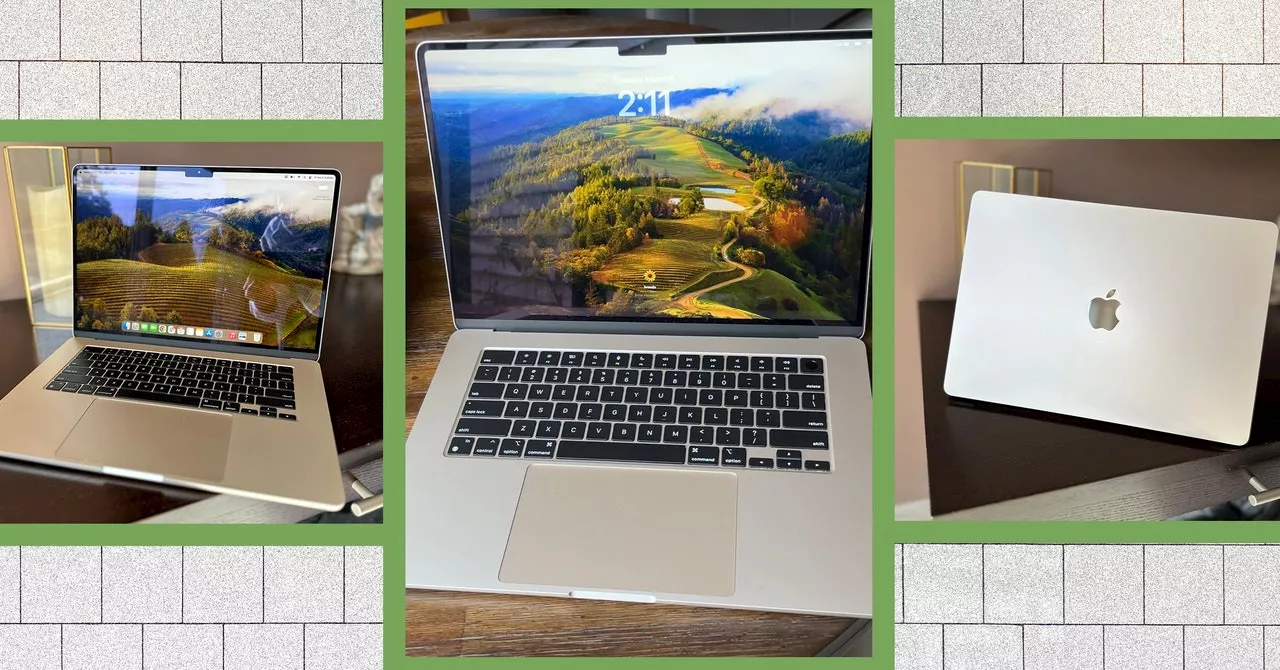 Apple's MacBook Air (M3): A ReviewApple's latest MacBook Air, powered by the M3 chip, offers significant performance improvements compared to its predecessors. The review highlights the key features, performance benchmarks, and overall user experience.
Read more »